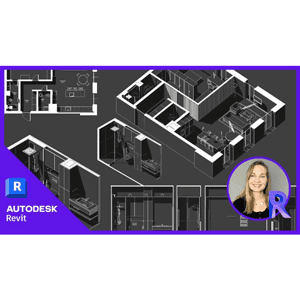
Create stunning drawing using only REVIT-without Photoshop!
Create stunning drawing using only REVIT-without Photoshop! is a course on using Revit to produce high-quality, visually striking drawings published by Udemy Online Academy. This course eliminates the need for external editing software like Photoshop and teaches you how to use Revit’s built-in tools for rendering, visual styles, and presentation techniques. You’ll explore advanced graphics settings, material enhancements, lighting adjustments, and annotation tricks to create accurate, professional-quality drawings directly in Revit. By mastering these techniques, you can streamline your workflow, improve project presentations, and produce stunning architectural images without relying on additional software.In addition, you’ll see a file containing families and templates that you can easily use for your own projects. These resources are designed to streamline your workflow, providing you with pre-built elements and templates to effortlessly enhance your design process. Unlock Revit’s full potential by mastering these diverse presentation styles, increasing your ability to captivate your audience, and effectively communicate your design intent.
Instant high-definition streaming with zero paywalls.
What You'll Master in this Course
Course Curriculum12 Lectures
1 sections • 9.1 hours total length
Requirements
- Basic enthusiasm to learn and follow along with lessons
- A computer or mobile device with a modern internet connection
Description
Instructor
Senior Industry Specialist
Specialist in Graphic Design, Video & Multimedia
Passionate educator focused on real-world practical skills, modern frameworks, and production-ready engineering practices. Delivering step-by-step masterclasses accessible to learners globally on MJ Accedemy.
Instant high-definition streaming with zero paywalls.
Students Also Viewed

Adobe Photoshop – Complete course with Projects
Udemy
Photoshop and Illustrator MasterCourse : 120+ Projects 2024-7/2025-3
Industry Specialist
Adobe Illustrator CC 2020 MasterClass
Industry Specialist
Adobe Photoshop Mega Course-From Beginner to Super Designer
Industry Specialist