Game Development & 3D Art2024-2 Edition100% Free Video Course

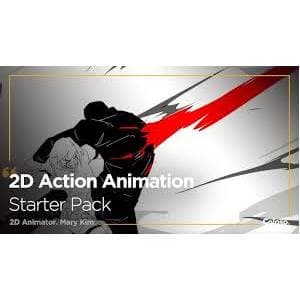
Coloso – 2D Action Animation Starter Pack

2D Action Animation Starter Pack course. Ready to take your first step into creating dynamic action scenes with 2D animation? Learn the basics of animation from start to finish as we cover every step of the process of creating action scenes. You’ll learn everything from parallax effects, backgrounds, hand-to-hand and weapon-based combat scenes, and more. What you will learn Building a Foundation for 2D Action Animation: Get started with 2D animation by understanding the essential principles and techniques used in different scenarios. Expanding your horizons will be much easier once you learn the basics. Use interframes to your advantage: Understanding the spacing and position of interframes is critical to showing speed and weight. You can use this to your advantage and set any action to your desired speed. Character Movement Expansion: Your character’s movement is directly related to its personality, attitude, and form. Show what your character is with his actions, not say. Create original fight scenes: Add more characters to the scene and create some kind of interaction and coordinated combat with and without weapons. Create some kind of exchange and reference communication between the “giver” and the “receiver”. Add effects by implementing other elements: Use hit frames, dramatic effects, camera work and animated backgrounds to dramatize your fight scenes. Learn how and where to add these elements to specific scenarios in your animation. Finding inspiration for action: Composing action scenarios from the top is challenging, especially if they need to look anatomically and socially correct. Let’s explore a variety of resources to help you create dramatic fight scenes that your audience won’t be able to look away from. This course is suitable for people who 2D animation enthusiasts Digital artists Game designers Anyone who wants to improve their animation skills 2D Action Animation Starter Pack course specifications Publisher: Coloso Instructor: Mary Kim Training level: beginner Training duration: 8 hours and 33 minutes Number of courses: 21 Course headings SECTION 01. OT 01. Orientation Introducing your instructor What you will learn Helpful websites and software programs SECTION 02. Animation Starter Pack 02. Before We Start 2D Animation Importance of breaking down a movement Principles of animation 03. Frame Rate and Timing Charts How frame rates work Holding frames Using timing charts 04. Mastering Speed ​​with Inbetweening Inbetweening basics Distribution of inbetweens for weight and speed Understanding Smear Frames 05. Introducing Digital Animation with Clip Studio Paint Introduction of Clip Studio Paint (CSP) Animation tools on CSP Animation folders and lightbox SECTION 03. Adding Action to Your Characters 06. Animating Characters Understanding the body Poses and positioning Character Movement and Expression 07. Building Basic Choreography Adding more movements to one character Creating a combo Creating a tempo 08. Interaction with Additional Characters Adding one or more characters in the set Planning interaction Keeping track of one or more characters 9. Characters with Weapons Adding materials and weapons to characters Short range and long range weapons SECTION 04. Indication of Impact and Intensity 10. Animating Various Effects Animating smoke FX Animating luminous FX (fire and lightning) Liquid FX Solid elements 11. Impact Frames When to use impact frames How to make impact frames 12. Camera Motion Staging Camera pans and tracking Camera shakes 13. Parallax Adding a still image as a background Adding a moving object Keyframing and parallax effect 14. Animated Backgrounds Adding motion to the backgrounds Motion lines and blurs SECTION 05. Composing Combat 15. Planning and Storyboarding Thumbnailing and storyboarding Indicating key poses Flow and story 16. Expanding Choreography Knowledge Importance of finding inspiration References and how to use them Rotoscoping and breaking down materials Style and Identity Application and influence SECTION 06. 2D Action Animation Demonstration 17. Hand-to-Hand Combat Determining interaction (initiator and receiver) Handling two characters at the same time Cell separation 18. Applying FX Characters with FX Direction and impact of the FX Subtle FX vs. apparent FX Combination of FX and impact frames On hit vs. Follow up FX 19. Using Weaponry Characters with their weapons Distance and interaction 20. Environment and Setting Interaction Characters making use of their setting Impact upon the environment SECTION 07. Conclusion 21. Finishing Thoughts Thoughts for continuous improvement 2D Action Animation Starter Pack course prerequisites This course will use Clip Studio Paint EX (Alternatives: Adobe Animate, Toon Boom Harmony, Blender, TvPaint). Please purchase and install these program(s) for an optimized lecture experience. Course images Sample video of the course Video Playerhttps://dl.downloadly.ir/Files/Elearning/Sample/2D_Action_Animation_Starter_Pack_Downloadly.ir.mp400:0000:0000:00Use Up/Down Arrow keys to increase or decrease volume. Installation guide After Extract, view with your favorite Player. Subtitle: None Quality: 1080p download link Download part 1 – 1 GB Download part 2 – 1 GB Download part 3 – 528 MB File(s) password: www.downloadly.ir File size 2.5 GB
3.0
(2 reviews)
18.3 Hours On-Demand
Created by Mary Kim
Uploaded Sep 2026
English
beginner
Coloso – 2D Action Animation Starter Pack
Preview This Course
Free$129.99100% Free

Instant high-definition streaming with zero paywalls.

Course Features:
18.3 hours on-demand video
21 complete lectures
Streamable on mobile, tablet & desktop
Self-paced curriculum with progress tracking
Direct MP4 downloads & offline video access
Verified course archives hosted on cloud infrastructure.

What You'll Master in this Course

Building a Foundation for 2D Action Animation: Get started with 2D animation by understanding the essential principles and techniques used in different scenarios. Expanding your horizons will be much easier once you learn the basics.
Use interframes to your advantage: Understanding the spacing and position of interframes is critical to showing speed and weight. You can use this to your advantage and set any action to your desired speed.
Character Movement Expansion: Your character’s movement is directly related to its personality, attitude, and form. Show what your character is with his actions, not say.
Create original fight scenes: Add more characters to the scene and create some kind of interaction and coordinated combat with and without weapons. Create some kind of exchange and reference communication between the “giver” and the “receiver”.
Add effects by implementing other elements: Use hit frames, dramatic effects, camera work and animated backgrounds to dramatize your fight scenes. Learn how and where to add these elements to specific scenarios in your animation.
Finding inspiration for action: Composing action scenarios from the top is challenging, especially if they need to look anatomically and socially correct. Let’s explore a variety of resources to help you create dramatic fight scenes that your audience won’t be able to look away from.

Course Curriculum21 Lectures

7 sections • 18.3 hours total length

Prefer offline learning? Download all 21 video lectures and project files for free.
Download Free

Requirements

  • This course will use Clip Studio Paint EX (Alternatives: Adobe Animate, Toon Boom Harmony, Blender, TvPaint). Please purchase and install these program(s) for an optimized lecture experience.

Description

2D Action Animation Starter Pack course. Ready to take your first step into creating dynamic action scenes with 2D animation? Learn the basics of animation from start to finish as we cover every step of the process of creating action scenes. You’ll learn everything from parallax effects, backgrounds, hand-to-hand and weapon-based combat scenes, and more. What you will learn Building a Foundation for 2D Action Animation: Get started with 2D animation by understanding the essential principles and techniques used in different scenarios. Expanding your horizons will be much easier once you learn the basics. Use interframes to your advantage: Understanding the spacing and position of interframes is critical to showing speed and weight. You can use this to your advantage and set any action to your desired speed. Character Movement Expansion: Your character’s movement is directly related to its personality, attitude, and form. Show what your character is with his actions, not say. Create original fight scenes: Add more characters to the scene and create some kind of interaction and coordinated combat with and without weapons. Create some kind of exchange and reference communication between the “giver” and the “receiver”. Add effects by implementing other elements: Use hit frames, dramatic effects, camera work and animated backgrounds to dramatize your fight scenes. Learn how and where to add these elements to specific scenarios in your animation. Finding inspiration for action: Composing action scenarios from the top is challenging, especially if they need to look anatomically and socially correct. Let’s explore a variety of resources to help you create dramatic fight scenes that your audience won’t be able to look away from. This course is suitable for people who 2D animation enthusiasts Digital artists Game designers Anyone who wants to improve their animation skills 2D Action Animation Starter Pack course specifications Publisher: Coloso Instructor: Mary Kim Training level: beginner Training duration: 8 hours and 33 minutes Number of courses: 21 Course headings SECTION 01. OT 01. Orientation Introducing your instructor What you will learn Helpful websites and software programs SECTION 02. Animation Starter Pack 02. Before We Start 2D Animation Importance of breaking down a movement Principles of animation 03. Frame Rate and Timing Charts How frame rates work Holding frames Using timing charts 04. Mastering Speed ​​with Inbetweening Inbetweening basics Distribution of inbetweens for weight and speed Understanding Smear Frames 05. Introducing Digital Animation with Clip Studio Paint Introduction of Clip Studio Paint (CSP) Animation tools on CSP Animation folders and lightbox SECTION 03. Adding Action to Your Characters 06. Animating Characters Understanding the body Poses and positioning Character Movement and Expression 07. Building Basic Choreography Adding more movements to one character Creating a combo Creating a tempo 08. Interaction with Additional Characters Adding one or more characters in the set Planning interaction Keeping track of one or more characters 9. Characters with Weapons Adding materials and weapons to characters Short range and long range weapons SECTION 04. Indication of Impact and Intensity 10. Animating Various Effects Animating smoke FX Animating luminous FX (fire and lightning) Liquid FX Solid elements 11. Impact Frames When to use impact frames How to make impact frames 12. Camera Motion Staging Camera pans and tracking Camera shakes 13. Parallax Adding a still image as a background Adding a moving object Keyframing and parallax effect 14. Animated Backgrounds Adding motion to the backgrounds Motion lines and blurs SECTION 05. Composing Combat 15. Planning and Storyboarding Thumbnailing and storyboarding Indicating key poses Flow and story 16. Expanding Choreography Knowledge Importance of finding inspiration References and how to use them Rotoscoping and breaking down materials Style and Identity Application and influence SECTION 06. 2D Action Animation Demonstration 17. Hand-to-Hand Combat Determining interaction (initiator and receiver) Handling two characters at the same time Cell separation 18. Applying FX Characters with FX Direction and impact of the FX Subtle FX vs. apparent FX Combination of FX and impact frames On hit vs. Follow up FX 19. Using Weaponry Characters with their weapons Distance and interaction 20. Environment and Setting Interaction Characters making use of their setting Impact upon the environment SECTION 07. Conclusion 21. Finishing Thoughts Thoughts for continuous improvement 2D Action Animation Starter Pack course prerequisites This course will use Clip Studio Paint EX (Alternatives: Adobe Animate, Toon Boom Harmony, Blender, TvPaint). Please purchase and install these program(s) for an optimized lecture experience. Course images Sample video of the course Video Playerhttps://dl.downloadly.ir/Files/Elearning/Sample/2D_Action_Animation_Starter_Pack_Downloadly.ir.mp400:0000:0000:00Use Up/Down Arrow keys to increase or decrease volume. Installation guide After Extract, view with your favorite Player. Subtitle: None Quality: 1080p download link Download part 1 – 1 GB Download part 2 – 1 GB Download part 3 – 528 MB File(s) password: www.downloadly.ir File size 2.5 GB

Instructor

M

Mary Kim

Specialist in Game Development & 3D Art

Passionate educator focused on real-world practical skills, modern frameworks, and production-ready engineering practices. Delivering step-by-step masterclasses accessible to learners globally on MJ Accedemy.

Recommended Curriculum

Students Also Viewed